Interactive demo · SellM8 Analytics
From the monthly file to the forecast
Ten steps through SellM8 Analytics with sample data: uploading the report, dashboard, customers, sales reps, data cleaning and the forecast.
Click the highlighted spot on the screen or use the "Next" button.
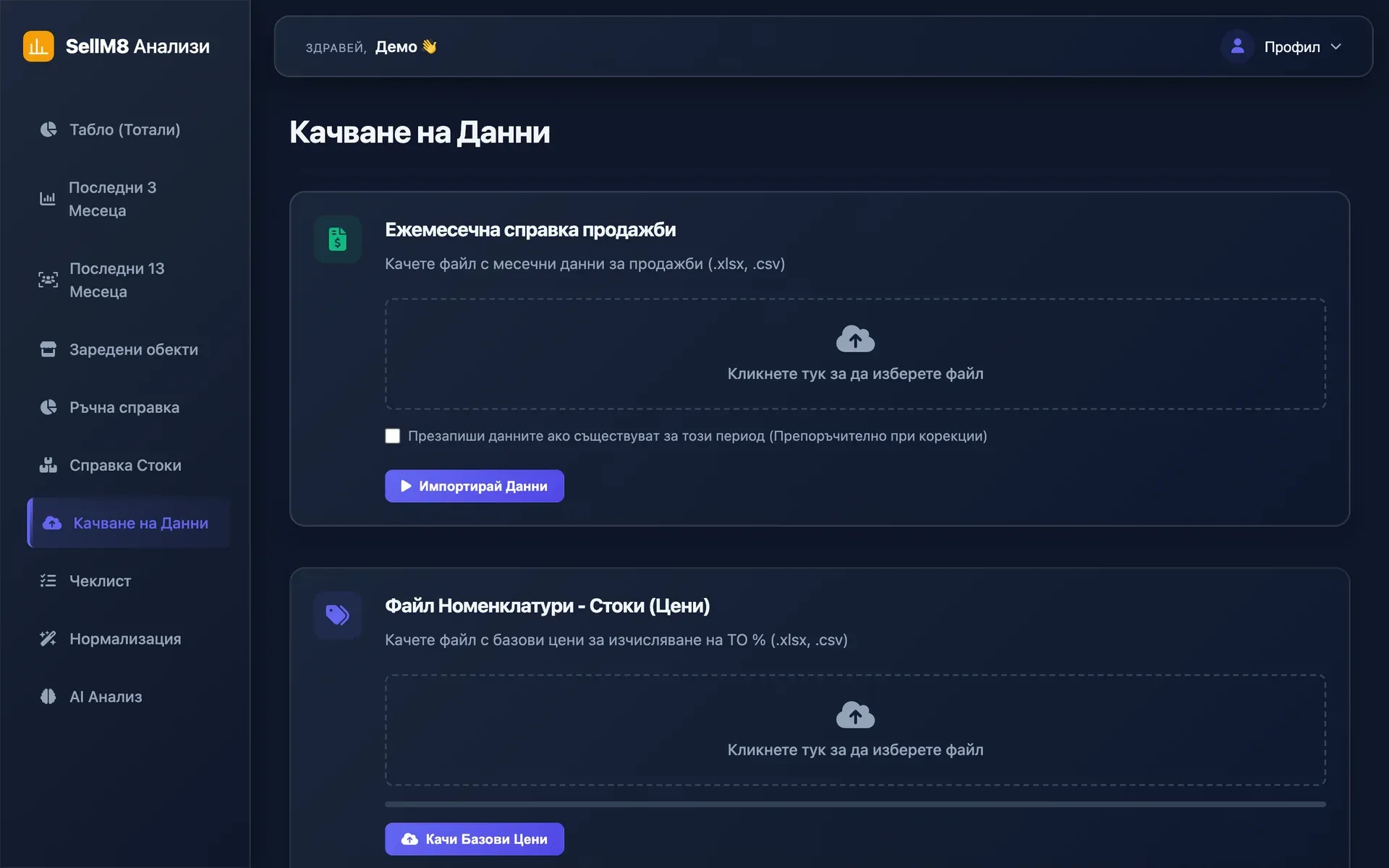
Step 1 of 10
Upload the monthly report
This is where the month's sales file goes in — Excel or CSV. The program checks the columns and warns you if the period has already been uploaded. Click "Табло" (Dashboard) to see the result.
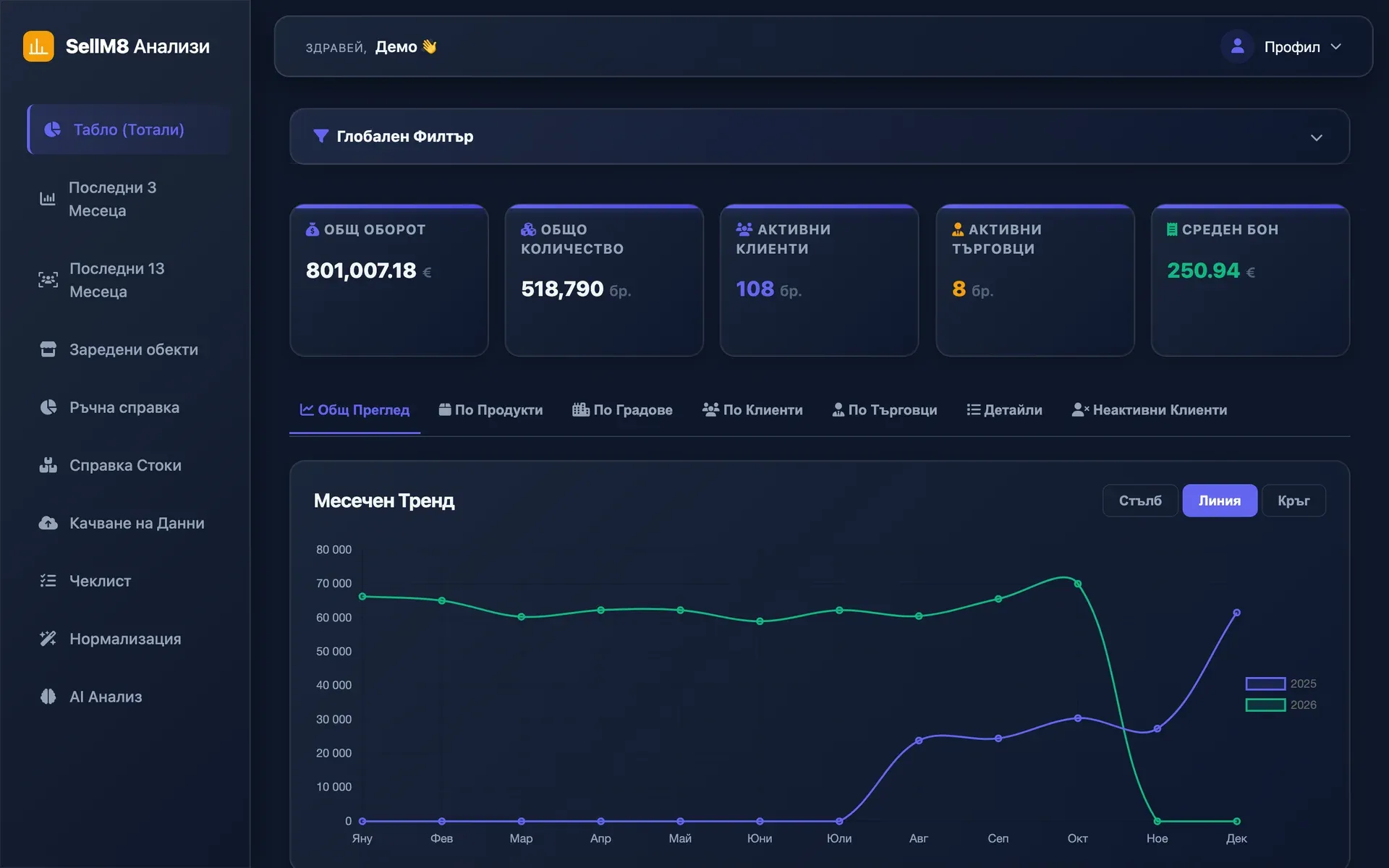
Step 2 of 10
The month at a glance
Total turnover, quantity, active customers and sales reps, average purchase value and the monthly trend. Open the "По Клиенти" (By customer) tab.
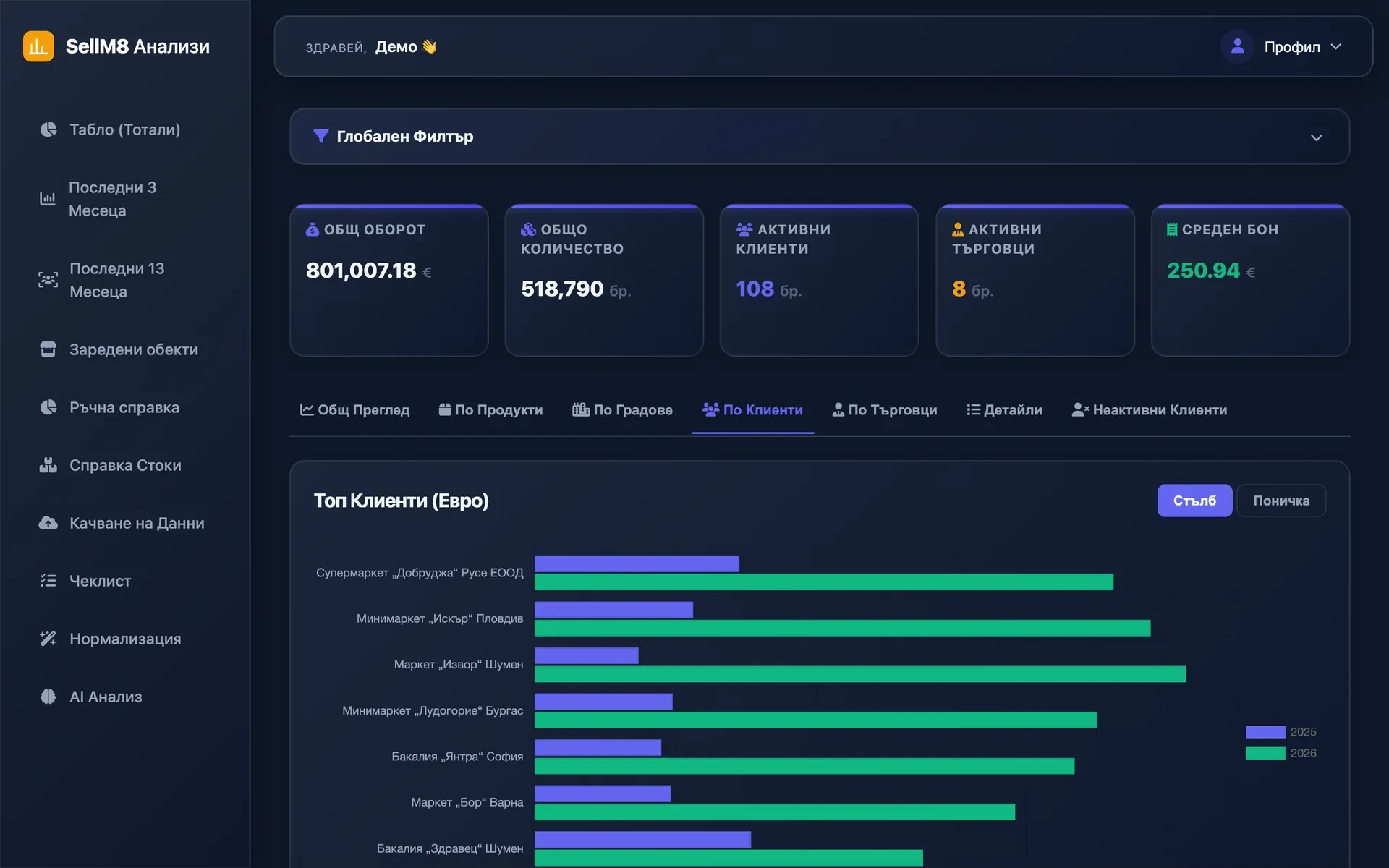
Step 3 of 10
Which customers bring the turnover
Customers are ranked by turnover. The next tab shows the opposite — who has not bought yet. Click "Неактивни Клиенти" (Inactive customers).
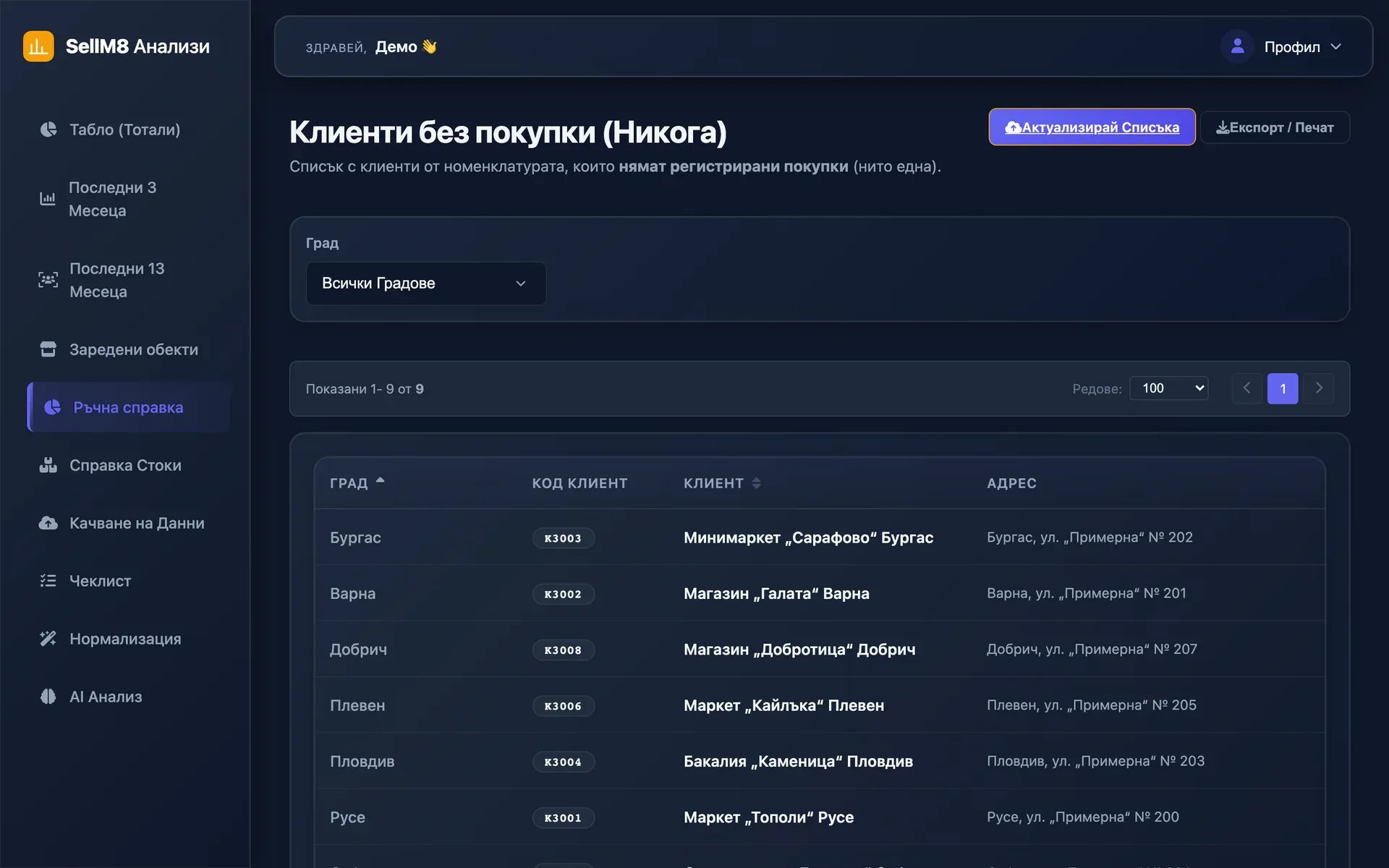
Step 4 of 10
Customers who have never bought
Customers from your reference list who have not bought yet — a ready list for the sales reps, with city and address. Now open "Последни 13 Месеца" (Last 13 months) in the menu.
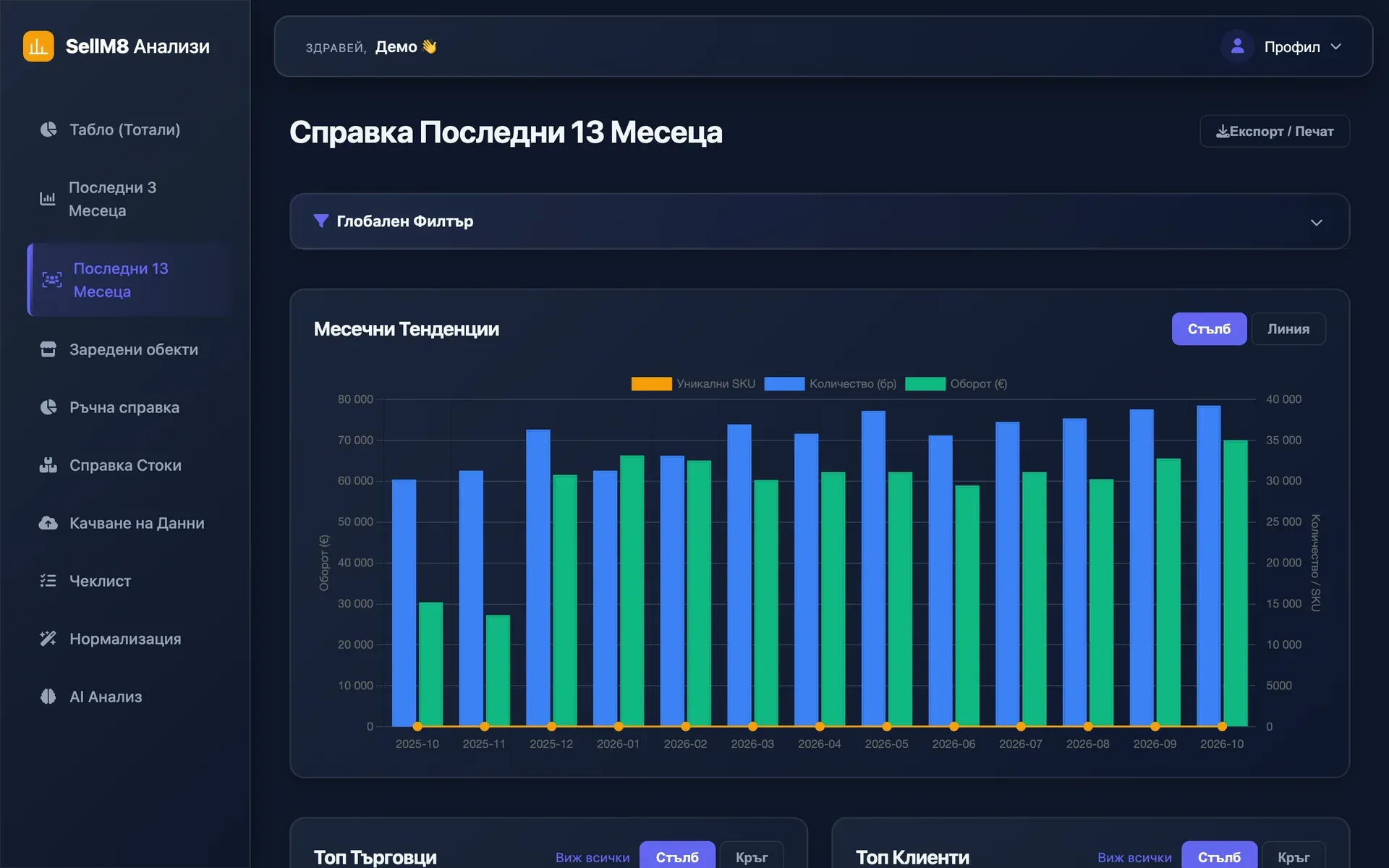
Step 5 of 10
A year back, month by month
Turnover, quantity and items sold for each of the last 13 months, with the top sales reps and customers below. Continue to "Заредени обекти" (Supplied outlets).
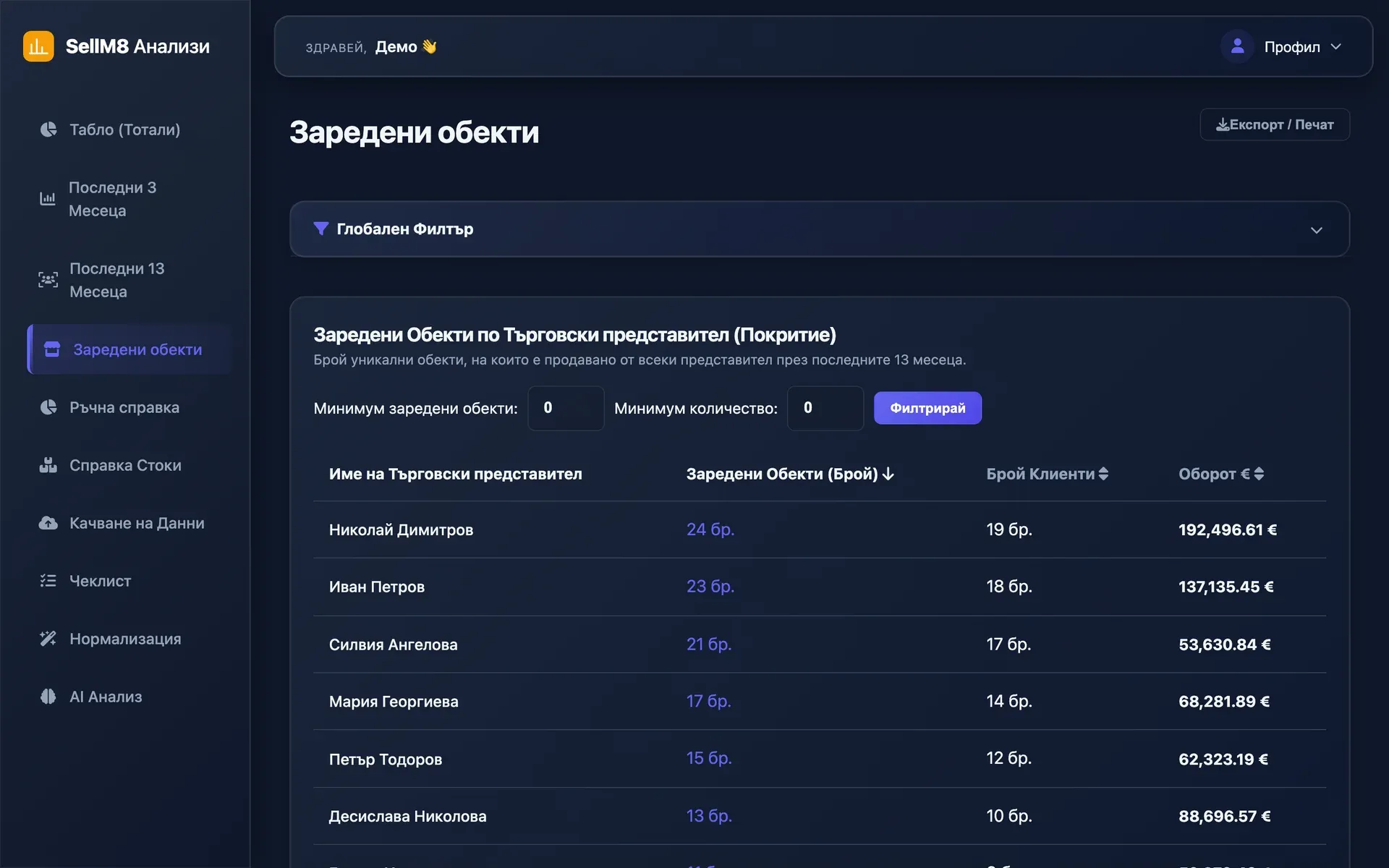
Step 6 of 10
What every sales rep is doing
How many outlets each sales representative supplied, how many customers they have and what turnover they bring. Next comes data cleaning — "Нормализация".
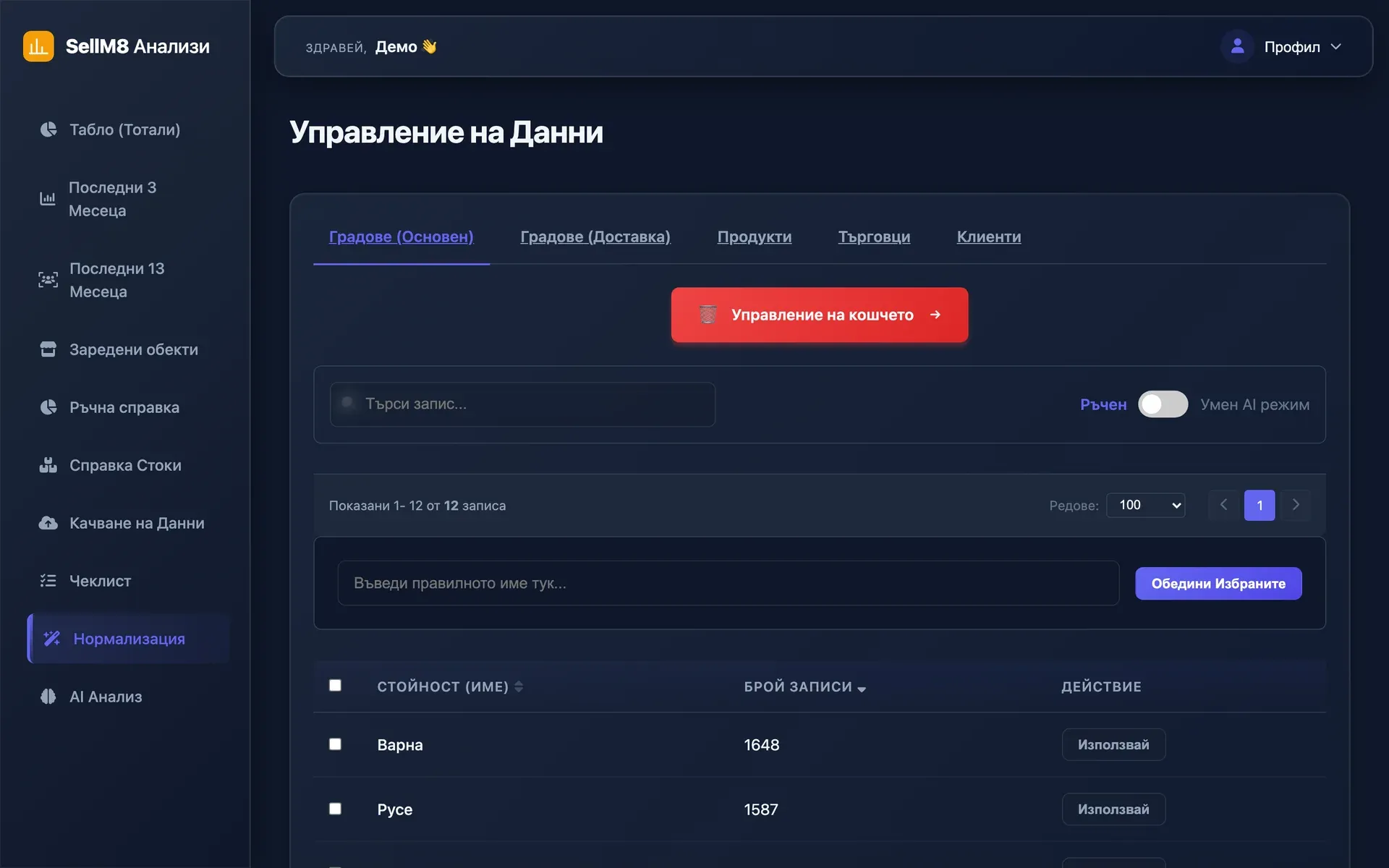
Step 7 of 10
Clean the data in one place
Names from the files are collected here. Open the "Клиенти" (Customers) tab to see one customer written in several ways.
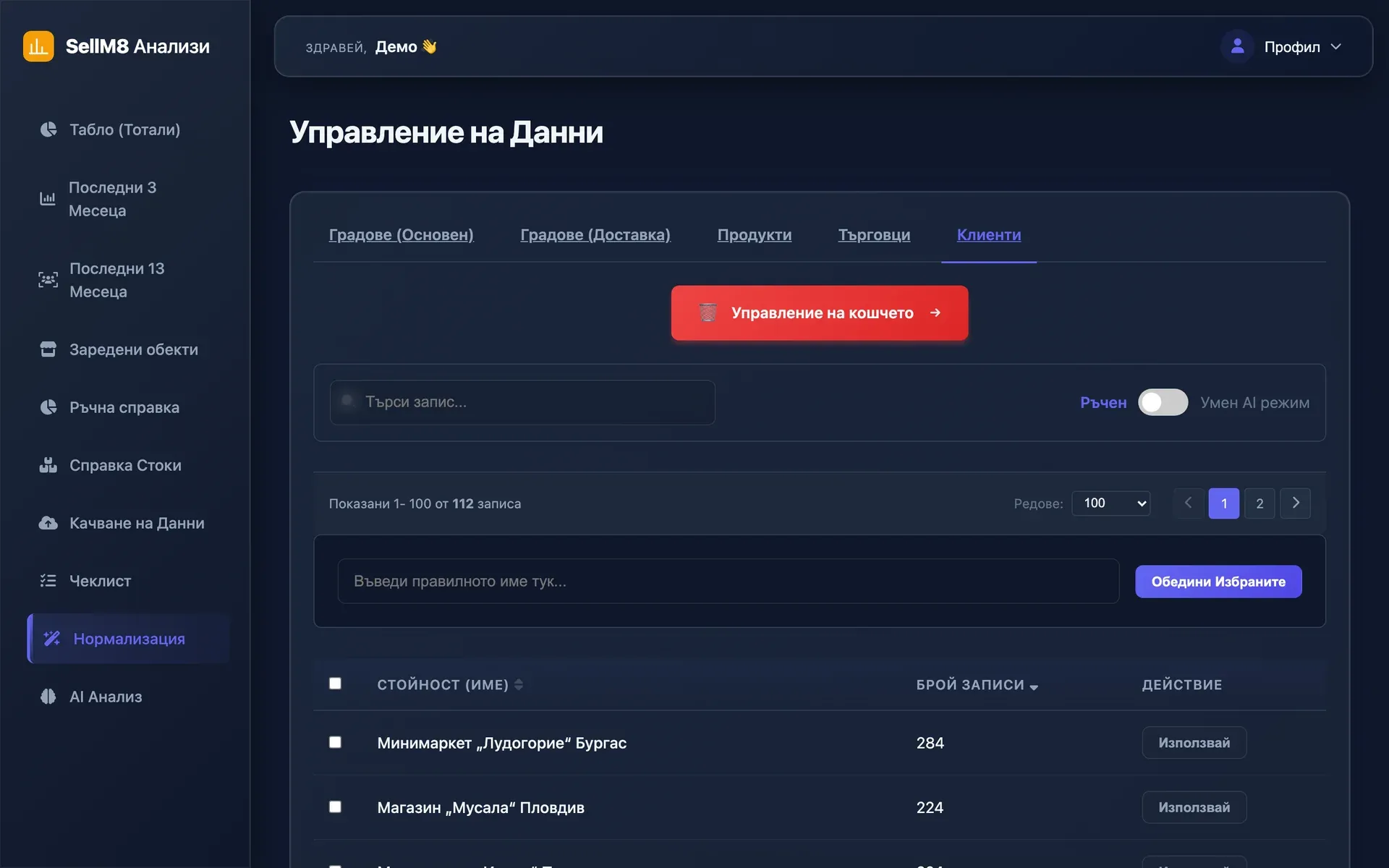
Step 8 of 10
One customer, one name
You pick the variants of a name and merge them into one; a wrong merge can be restored from the recycle bin. Finally — "AI Анализ" (Analysis).
Step 9 of 10
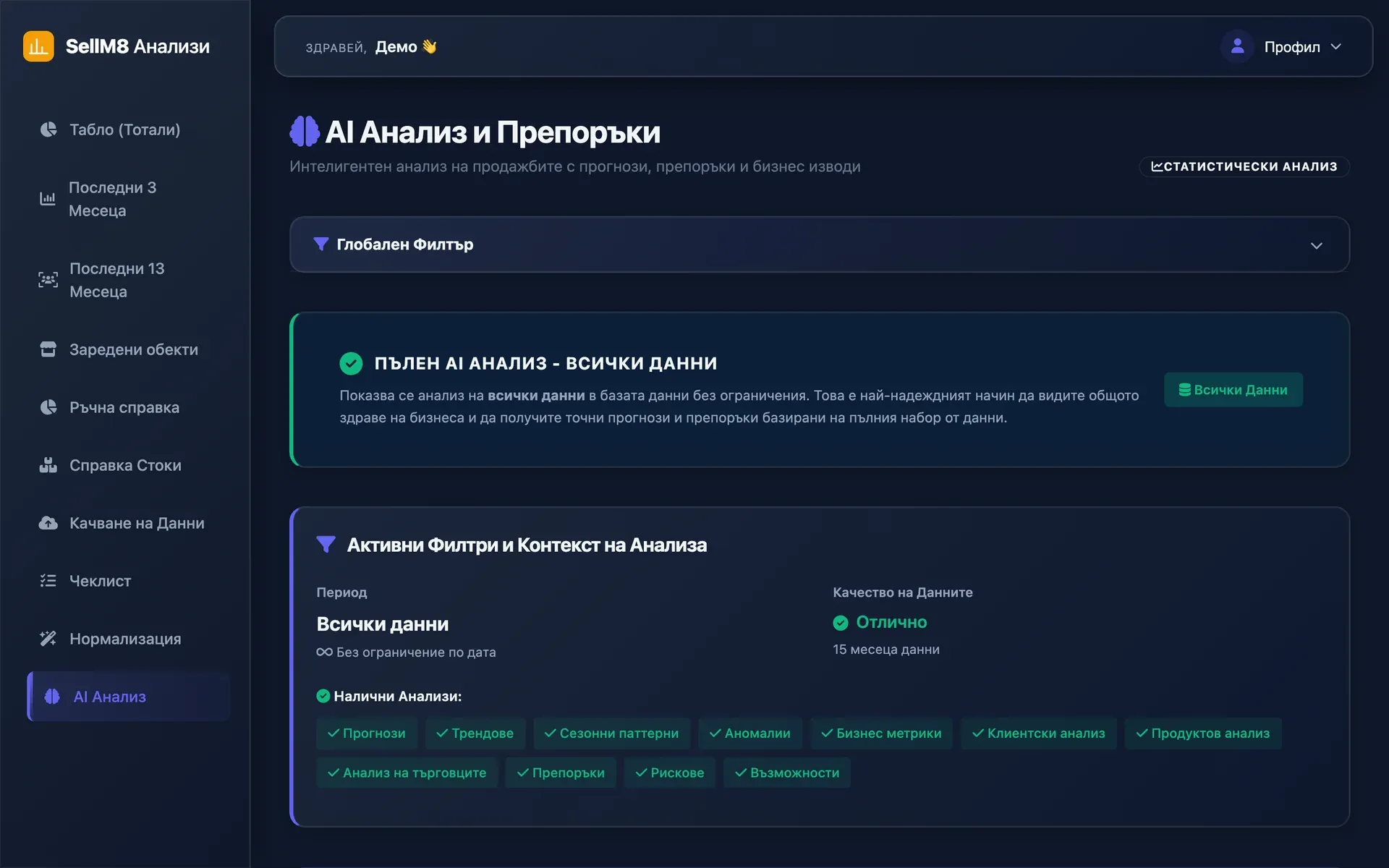
Analysis of all the data
A summary, an overall score and the list of analyses that were run. The forecasts are further down the same page — continue.
Step 10 of 10
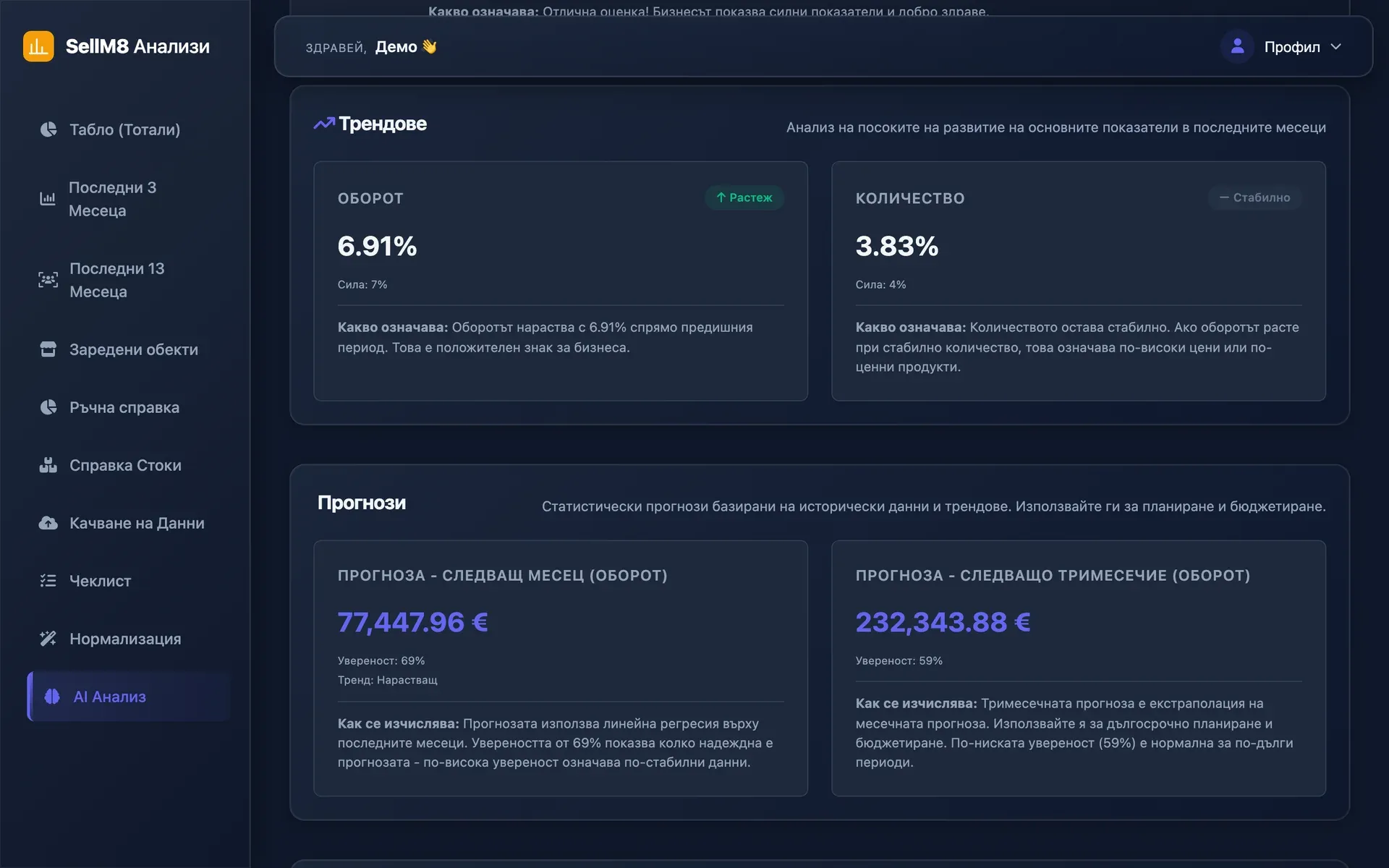
A forecast that states its confidence
Expected turnover for the next month and the quarter, how confident the forecast is and how it was calculated.
Book a demo with your own dataThe screens come from the program itself, captured with sample data. The interface is shown in Bulgarian.
See SellM8 Analytics with your own file
Send us one monthly report and we will show you what comes out of it.
- Reply within one working day
- No obligation to buy
- Demo with your own examples