SellM8 Invoice Coming soon
Invoices that issue, send and collect themselves
Recurring invoices go out without a click, reminders go out on time, the bank statement marks what has been paid, and your accountant gets a complete pack on the agreed day.
- core document types
- 12
- invoice designs
- 21
- document languages
- 8
- banks with ready statement import
- 11
How much of your month goes on invoices
SellM8 Invoice takes exactly this work off your hands. Leave your contact details and we will write as soon as access opens.
Sign up for early access-
On the first of every month you issue the same invoices to the same customers — by hand.
-
The invoice has been sent, but nobody reminded the customer and the payment is late.
-
To find out who has paid, you log in to online banking and tick off one invoice after another.
-
At month-end your accountant writes to ask for missing documents.
-
Received invoices arrive by email, on paper and over Viber, and are typed in one by one.
Invoicing and month-end software
What is SellM8 Invoice?
SellM8 Invoice is online invoicing and month-end software for Bulgarian companies. It issues and sends invoices, reminds customers to pay, reads received invoices with AI, matches bank statements and prepares a monthly pack for the accountant. It runs in the browser on desktop and phone.
Who it is for
- Small-company owners who do their own invoicing
- Companies with subscription customers and recurring invoices
- Accountants who serve several companies
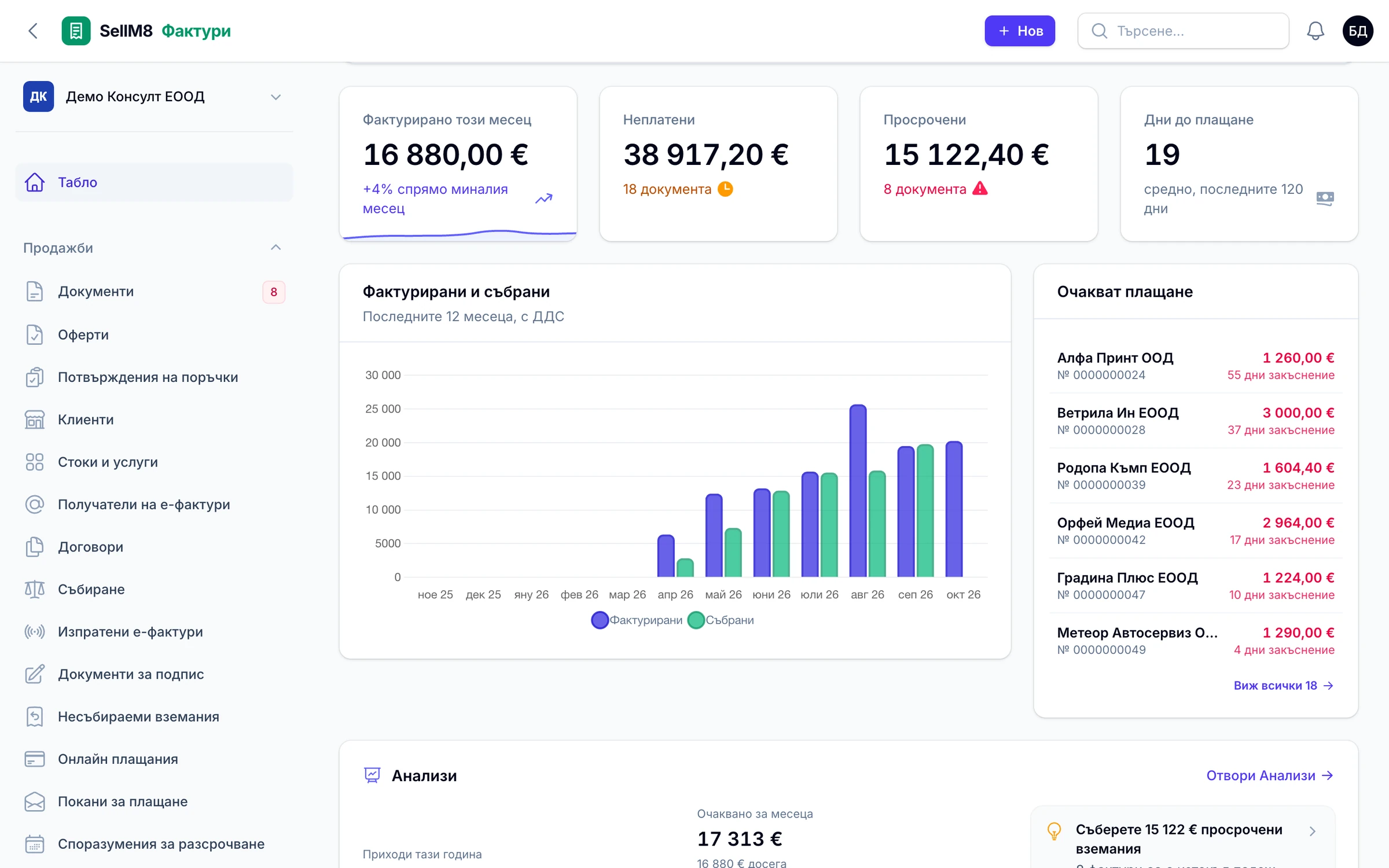
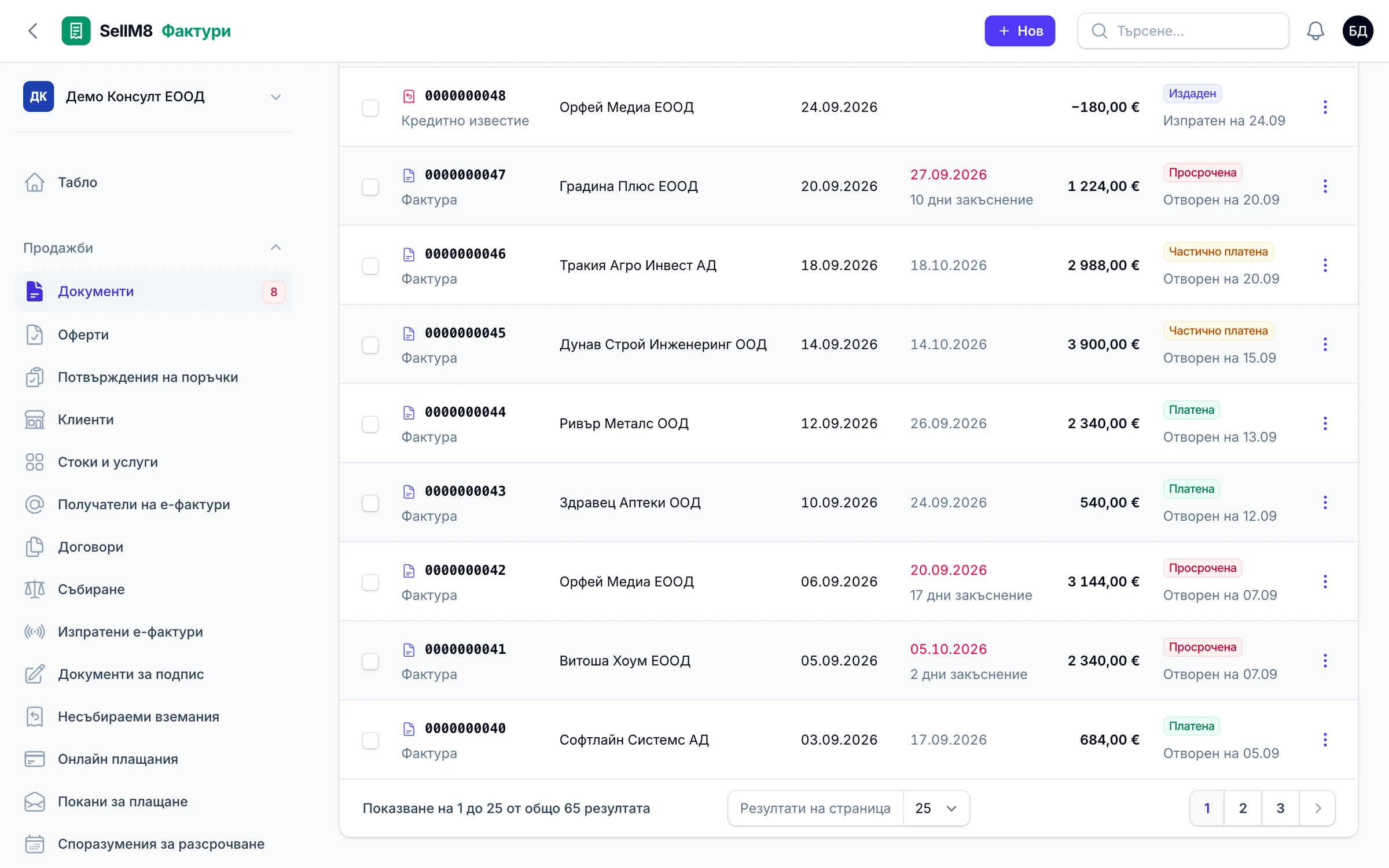
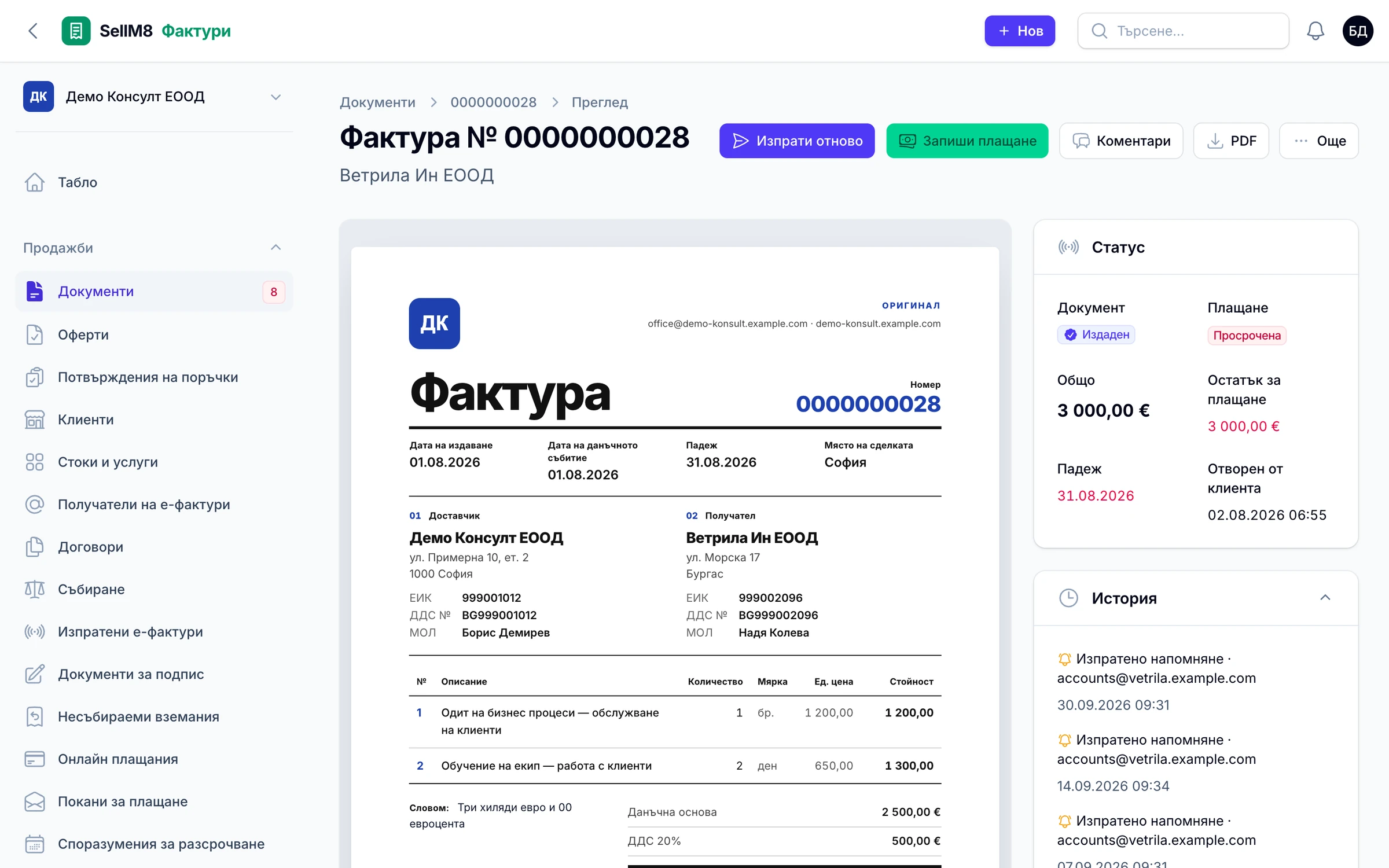
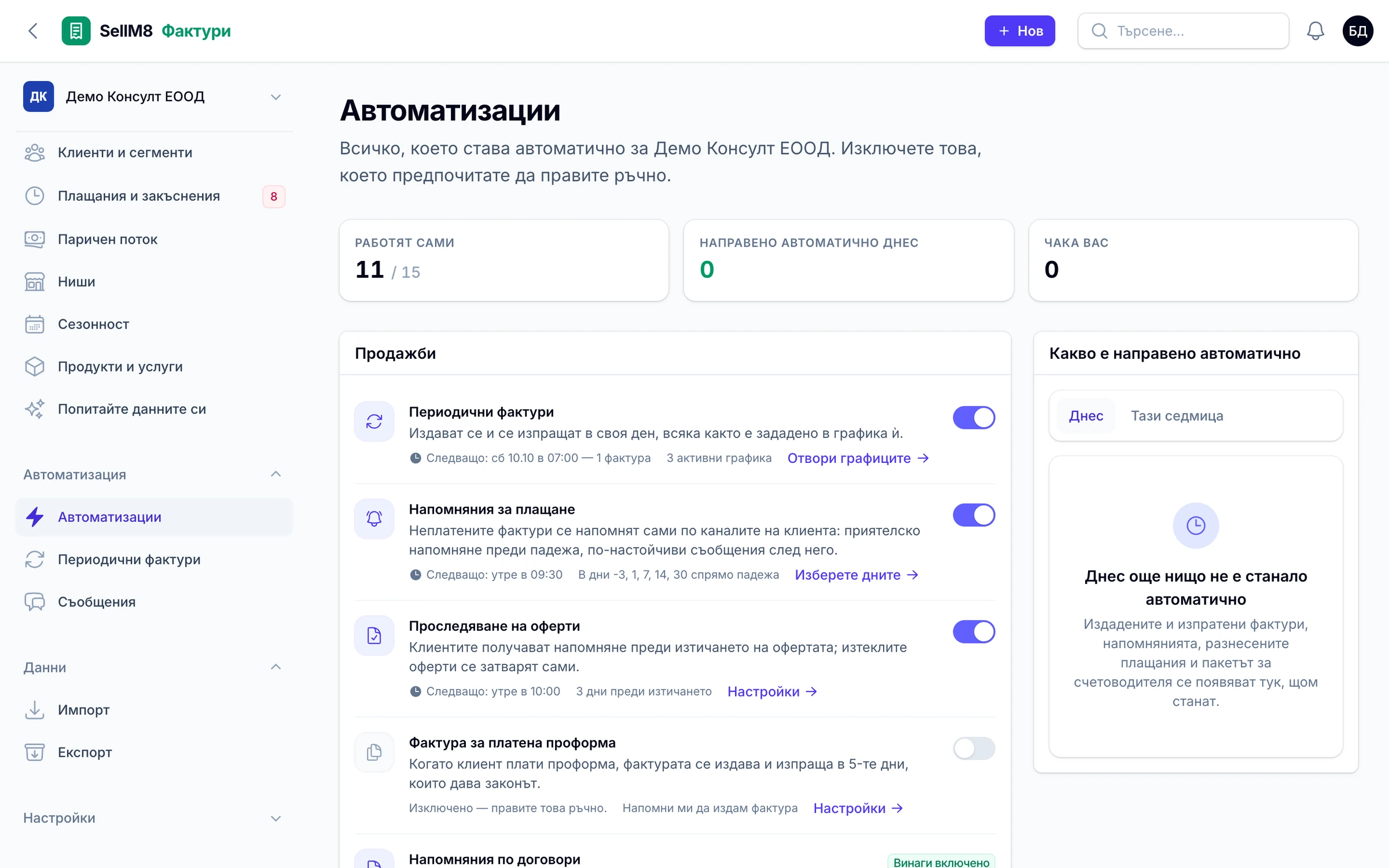
A look at SellM8 Invoice
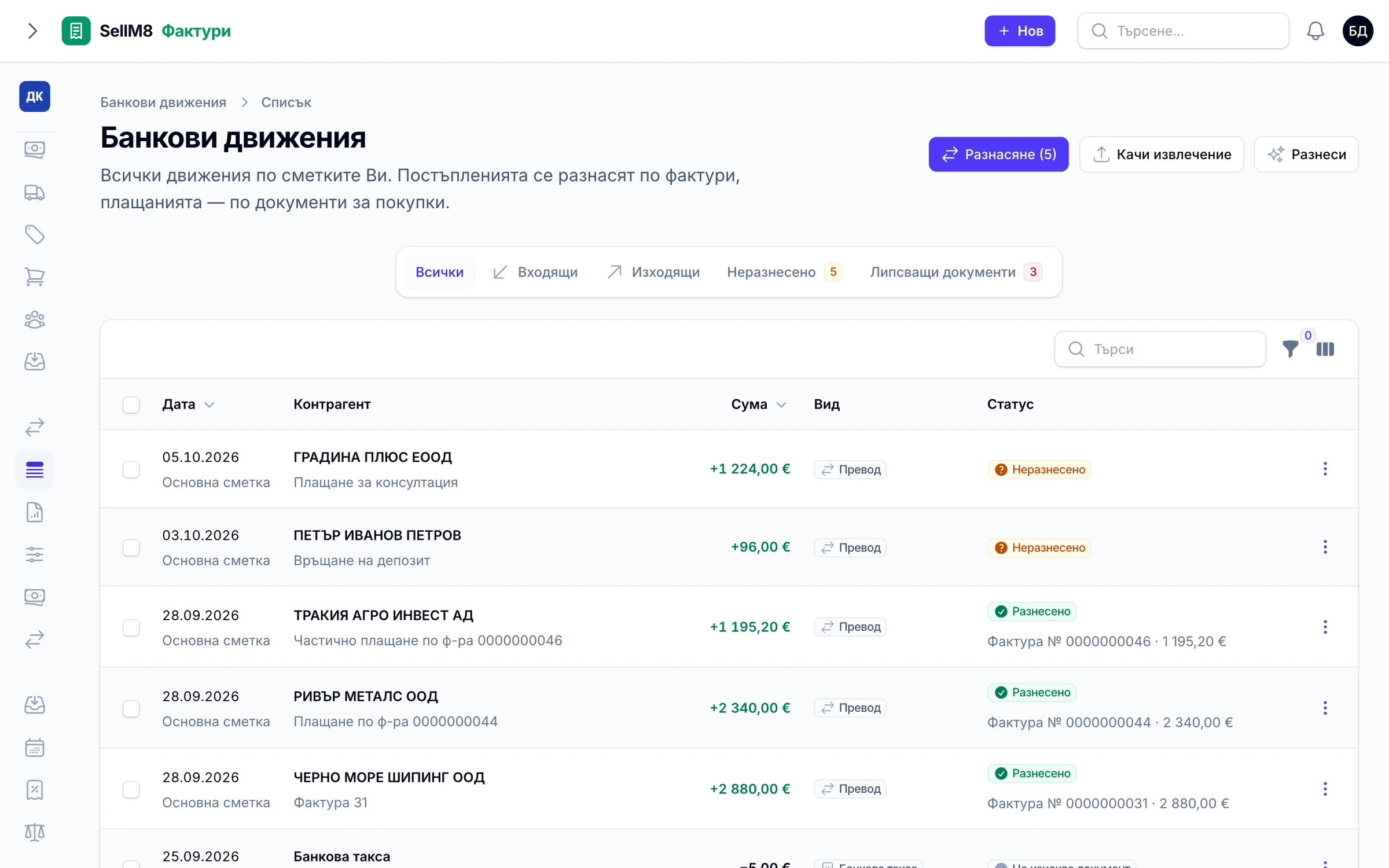
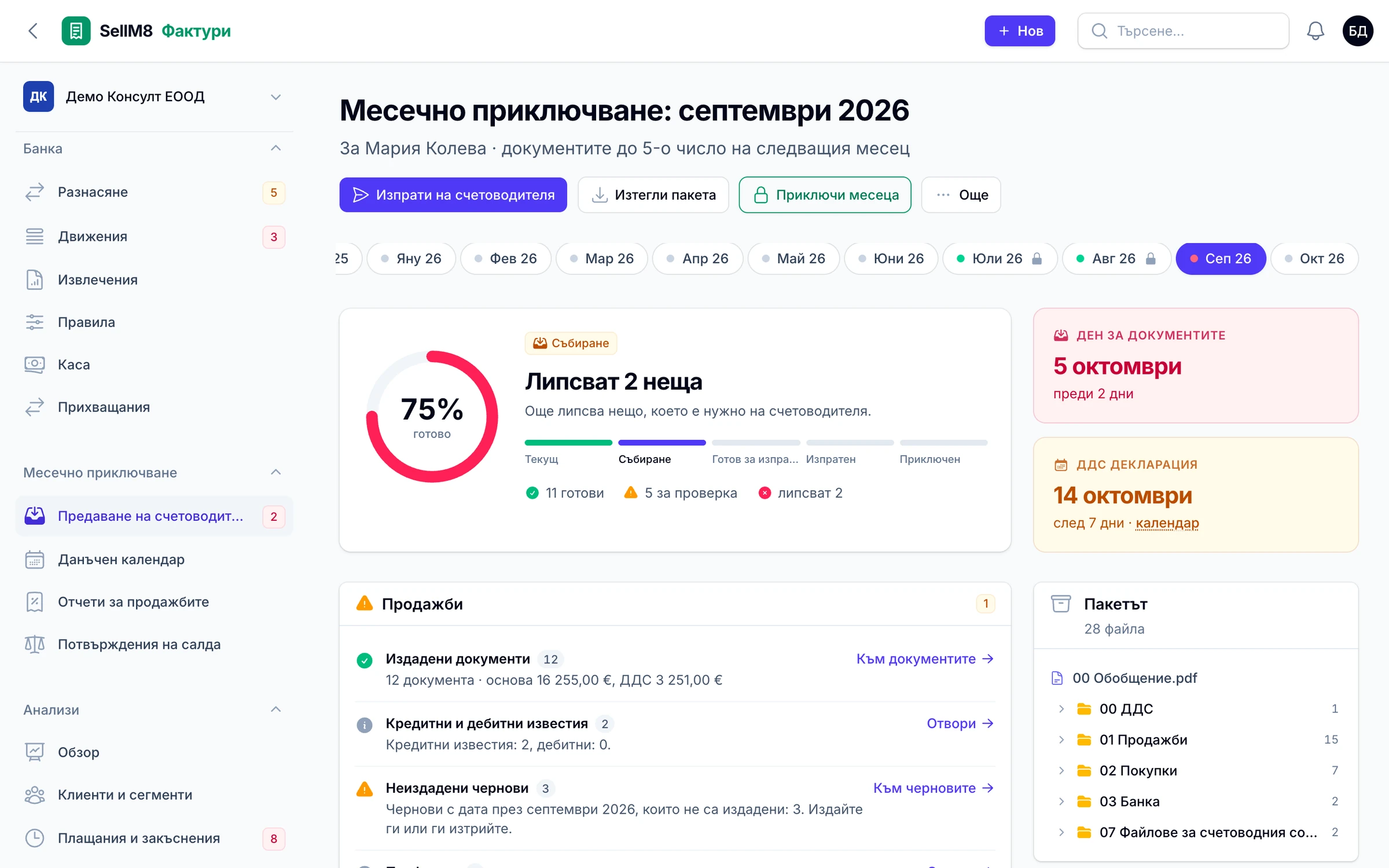
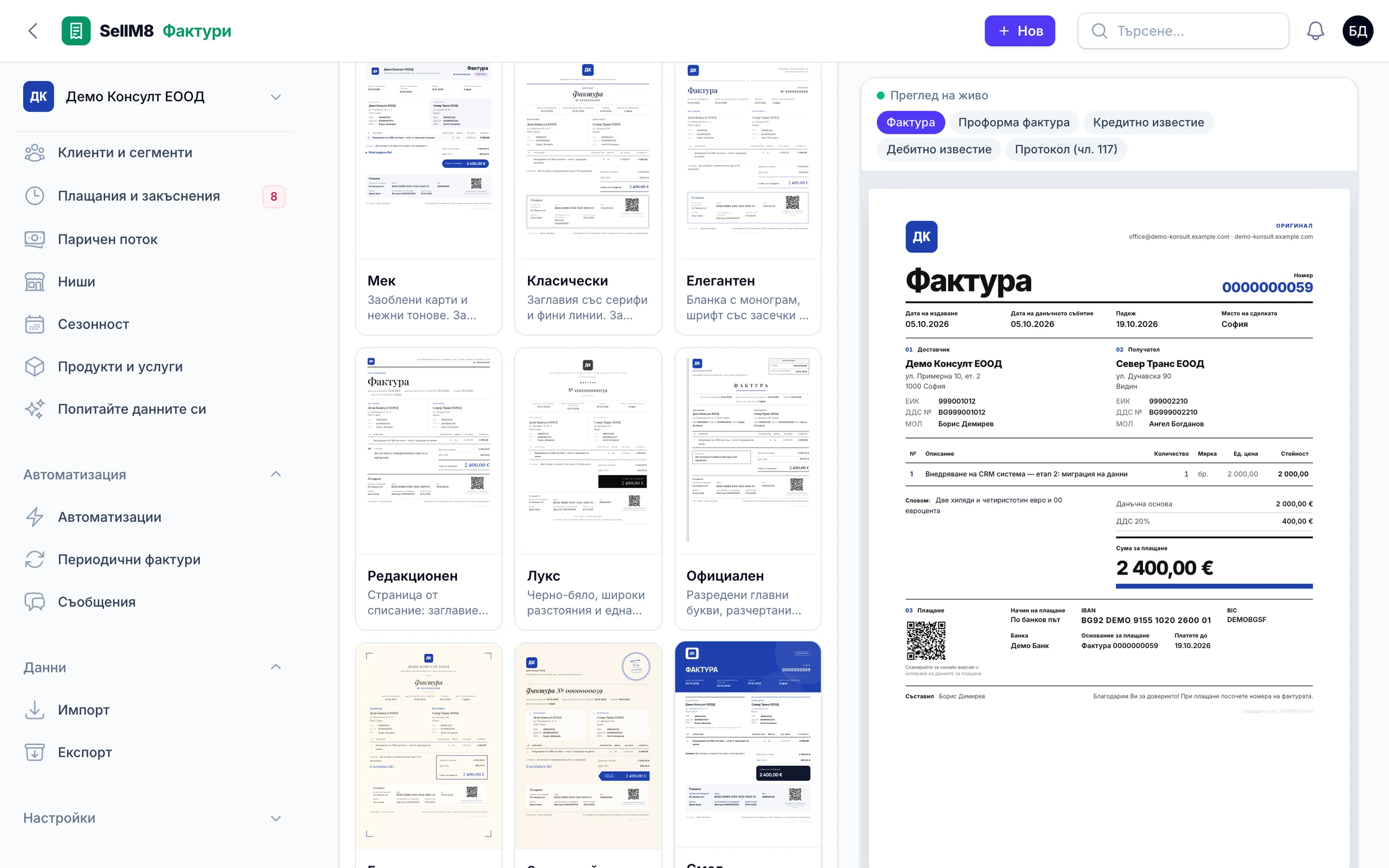
Screens from the program itself, with sample data. The interface is shown in Bulgarian.
Why SellM8 Invoice
-
Receivables collect themselves
A recurring invoice is issued and sent on its own. Reminders go out 3 days before the due date and 1, 7, 14 and 30 days after it.
-
The bank marks what is paid
Upload the statement — from 11 banks or as MT940 and CAMT — and payments are matched to invoices automatically.
-
A pack for your accountant on the agreed day
An archive of all the PDFs with Excel registers, a file for Microinvest Delta Pro and a journal for other accounting programs. It is sent automatically.
-
Received invoices are read by AI
Photograph the invoice or forward the email. The program reads it and runs 11 checks — including a changed IBAN and duplicates.
-
Send it where your customer will read it
By email, Viber or WhatsApp, in the customer's language. You see when the invoice is opened.
-
Switch without losing your numbering
Import from 16 sources, with a preview before anything is saved and an undo. Numbering continues from where you left off.
What is included SellM8 Invoice
The full list — open the topic that interests you.
Documents
- Invoice, proforma, credit note and debit note
- Protocol under Art. 117 of the Bulgarian VAT Act
- Stock receipt and goods return
- Handover protocol and service protocol
- Quotes, cash vouchers and cash book
- One gapless 10-digit number sequence
Customers and VAT
- Company autofill from the Bulgarian Commercial Register and a VIES check
- Language, currency, terms and sending channel per customer
- 20%, 9% and 0% rates, reverse charge, intra-EU supplies and exports
- Cash accounting for VAT, and companies not registered for VAT
- Keeps track of the mandatory VAT registration threshold
Sending and design
- 21 designs and 36 ready-made industry styles
- Documents in 8 languages, including bilingual ones
- Online invoice page with a QR code
- One-click sharing via Viber and WhatsApp
- Archived PDF original
Payments and reminders
- Partial payments
- Automatic reminders on a schedule
- Receivables digest every Monday
- Customer portal
- Card payments through your own Stripe, Revolut, myPOS or ePay.bg
Bank
- Statement import from 11 banks
- MT940 and CAMT formats
- Automatic matching of payments to invoices
- Chasing up missing documents
Received invoices
- Upload a file, a phone photo or a forwarded email
- AI reading
- 11 automatic checks — VIES, changed IBAN, duplicates
- Works without AI as well
Month-end
- A checklist of what is left for the month
- Accountant pack — PDFs and Excel registers
- File for Microinvest Delta Pro and a journal for other accounting programs
- Purchase and sales ledgers, VAT return and VIES files in the National Revenue Agency's format
- Period lock and tax calendar
Companies, roles and security
- Several companies with one sign-in
- Five roles, including read-only access for the accountant
- Two-step sign-in and new-device alerts
- A log of every change
- Full data export in open formats
E-invoices and connections
- Data stored according to the European standard EN 16931
- Export to UBL 2.1 and CII
- REST API and notifications to other systems
SellM8 Invoice compared with a typical invoicing tool
| What we compare | SellM8 Invoice | Typical invoicing tool |
|---|---|---|
| Payment reminders | Automatic, on a schedule | Often by hand, invoice by invoice |
| Paid invoices | Marked by the bank statement | You mark them by hand |
| Accountant | A ready pack on the agreed day | Export and email at month-end |
| Received invoices | AI reading and automatic checks | Typed in by hand |
| Sending | Email, Viber or WhatsApp per customer | Mostly email only |
Questions about SellM8 Invoice
When will the program be available?
SellM8 Invoice is in the final stage of preparation before launch. Leave your contact details and we will write to you when access opens.
Can it issue recurring invoices automatically?
Yes. SellM8 Invoice issues and sends recurring invoices on its own — monthly, quarterly or yearly — and reminds customers to pay on a schedule.
Is it approved by the National Revenue Agency?
There is no approval regime for invoicing software in Bulgaria. SellM8 Invoice follows the VAT Act requirements for invoice content and numbering and prepares the files for the National Revenue Agency in the format set by the regulations. Filing remains with you or your accountant.
Does it work in euros?
Yes. The base currency is the euro. Invoices in a foreign currency also show the tax base and VAT in euros at the ECB rate, and documents in leva from before 2026 are converted at 1.95583.
Is it ready for e-invoicing?
Data is stored according to the European standard EN 16931 and exported as UBL and CII. Mandatory e-invoicing in Bulgaria is still a draft amendment to the VAT Act that has not been adopted.
Can my accountant sign in?
Yes. The accountant gets their own read-only access and sees all the companies they serve in one place.
Does it issue fiscal receipts?
No. SellM8 Invoice is not point-of-sale software and does not issue fiscal receipts. It reminds you when a payment needs one.
Updated:
Sign up for early access
Leave your contact details and we will write as soon as access opens, with an invitation to a demo using your own invoices.
- Reply within one working day
- No obligation to buy
- Demo with your own examples